In the fast-evolving world of web design and development, speed and flexibility have become as important as creativity and aesthetics. What if you could go from a vague “vibe” or a screenshot to a full website — with responsive layouts, ready-to-export HTML/CSS/JS, and even Figma assets — in minutes rather than days? That’s exactly the promise of Aura AI, powered by Aura.build.
Whether you are a seasoned UI/UX designer, a front-end developer, or even someone with zero coding background, Aura AI aims to transform how websites — landing pages, portfolios, product sites, dashboards — are built. In this post, we’ll dive deep into what Aura AI is, what it offers, how it works, pricing plans, use-cases, and practical tips to get started.
Table of Contents
What is Aura AI / Aura.build?
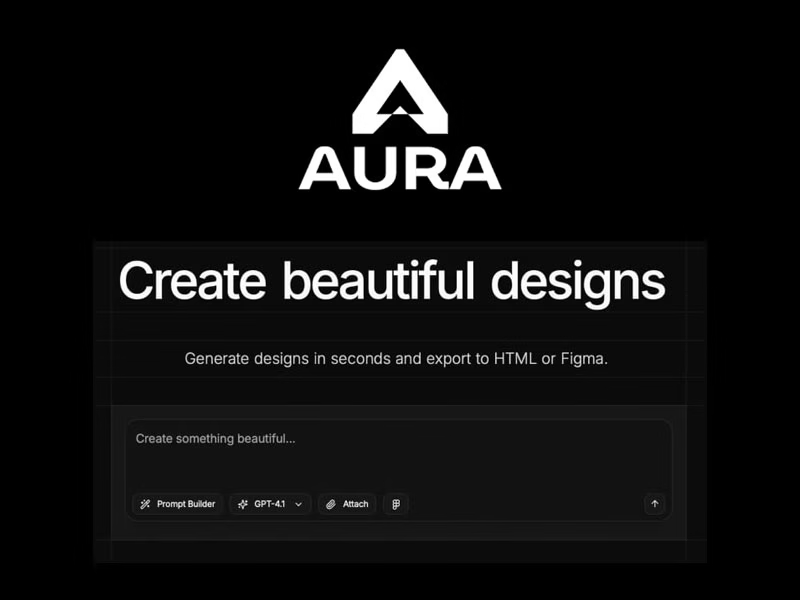
Aura.build is an AI-powered web-design and prototyping tool that allows you to generate beautiful, production-ready websites with minimal manual coding. Using AI, it converts either design descriptions (prompts), visual mockups/screenshots, or template-based inputs into real, exportable HTML, Tailwind CSS, and vanilla JavaScript — or Figma files.
In short: Aura AI = Design + AI + Code.
On its homepage, Aura advertises itself as capable of generating a complete site design in “30 seconds.”
At its core, Aura aims to collapse the design-to-code workflow: giving you the visual design experience of modern design tools, but outputting real, usable code — no vendor lock-in, no proprietary formats, nothing trapped in a closed ecosystem.
Who is Aura for?
Aura is designed for a wide range of users:
- UI/UX designers who want to quickly prototype websites and get usable frontend code without manually writing every line.
- Front-end developers who need a faster design-to-code pipeline, or want to iterate quickly using AI-assisted tools.
- Non-designers / non-coders — entrepreneurs, product founders, freelancers — who want professional-looking websites without hiring a full dev/design team.
- Teams and collaborators — because Aura supports template reuse, components, and collaborative workflows, it can be useful in small agencies or design teams.
The only things you need are a modern web browser (or Figma optionally), and — ideally — some sense of design, though the latter isn’t strictly required.
Key Features of Aura AI
Aura.build packs a number of powerful features that set it apart from traditional site builders or design tools. Here’s what makes it compelling:
Advanced AI Models & Prompt-Based Generation
Aura gives access to premium AI models — including cutting-edge generative AI — to interpret design prompts or mockups and generate code.
That means you can simply describe what you want (e.g. “minimalist landing page with hero image and neon accent buttons”) or paste a screenshot/mockup — and let AI produce a layout that is responsive, properly structured, and styled.
Templates & Components Library
Aura provides a large library of ready-made templates and reusable components — over 1,000 “premium templates” plus around 1,400 components, according to its own docs.
This library helps especially if you don’t want to start from scratch: you can remix templates, swap elements, or build upon existing designs. Components allow consistent, modular design across pages/projects.
Multi-Page Sites, Navigation & Export Options
Aura is not limited to single landing pages. You can build multi-page websites with navigation links, page transitions (fade, slide, scale, blur, etc.), and publish them under friendly subdomains.
Once done, you can export the site as standard HTML files + Tailwind CSS + vanilla JS, and host it anywhere (e.g. Netlify, Vercel, or your own server). Alternatively, you can export to Figma — with organized layers, components, and styles intact — if you want to iterate or hand off designs.
This avoids vendor lock-in, and gives full control over your code, enabling further customization, integration, or optimization.
Visual Editor with Design-Mode + Code Snippets & Effects
Aura includes a full-featured visual editor: drag-and-drop, layers panel, auto breakpoints (responsive design), measurements overlays, and ability to apply code snippets for animations, effects, border gradients, etc.
You also get image-to-HTML conversion — useful for converting static mockups, wireframes, or even screenshots into real code.
With prompt-targeted edits, you can instruct Aura to change only certain parts of the design (e.g. change the hero section, or adjust colors), without regenerating the entire page — making iterative design much smoother.
Asset Library & Image Generation
Aura gives access to a large asset library: thousands of curated assets including backgrounds, images, stock photos — which you can use directly in your design projects.
Also, Aura can generate images via AI (or process uploaded ones), integrate them into design, and then produce HTML/CSS — which helps when you don’t have custom visuals ready.
This is a level-up from traditional WYSIWYG builders, combining AI-assisted design, asset management, and code generation in one unified workflow.
Pricing & Plans
Aura offers a freemium pricing model, plus paid plans for heavier usage or commercial projects.
Free Plan — Good for trying out the tool. Includes: limited number of monthly AI prompts (3 per day, 10 per month), 2 pages per project, and personal (non-commercial) use.
Pro Plan — Better limits: 120 monthly AI prompts (including bonus), up to 100 pages per project, plus export to HTML and Figma, access to pro templates/components, private sharing/subdomains, and commercial use allowed.
Max Plan — Higher limits (240 monthly prompts with bonus), same export & page limits, full access to Pro features, and only difference is volume.
Ultra Plan — Big volume: 560 monthly prompts, 100-page projects, priority support, and all features.
Additionally, Aura provides AI Credits that don’t expire (buy once, use when needed). Credits work across all supported AI models, helpful if you need extra capacity beyond monthly limits.
This model allows users — hobbyists or professionals — to scale usage flexibly depending on their needs.
Why Aura AI Matters: Key Advantages Over Traditional Tools
Using Aura AI offers several advantages compared to classic web-design approaches (manual coding, design-to-code handoffs) or typical WYSIWYG/no-code website builders:
- Speed & Efficiency
What might take hours or days — writing HTML, CSS, JS; making responsive layouts; building components; exporting to Figma; adjusting styles — can be done in minutes with Aura. From prompt/idea to a working site: dramatically faster. This is particularly useful for prototypes, MVPs, landing pages, quick pitches, or experimentations.
- Democratizes Web Design & Development
Even non-designers or non-coders can create professional-looking websites. If you have a clear idea or a rough sketch, you don’t need deep CSS or JS skills. This lowers the barrier to entry.
- Clean, Exportable, Standard Code — No Lock-in
Unlike many no-code builders that lock you into proprietary ecosystems or generate bloated code, Aura outputs standard HTML, Tailwind CSS, and vanilla JS — meaning you can host anywhere, modify later, integrate with frameworks (React, Next.js, etc.), or collaborate with developers easily.
- Flexibility & Iteration
Templates + components + prompt-based editing + visual editor = you can iterate fast. Want to adjust the hero section, swap colors, tweak layout? You don’t have to rebuild from scratch. You get both the ease of no-code tools, and the control of code-based workflows.
- Multi-discipline Utility — From Designers to Devs to Founders
Whether you are building a client site, product landing page, marketing site, or MVP — Aura fits. It is equally useful for designers (visual workflow), developers (code output), and founders or non-technical creators (fast, no-code output).
Potential Use Cases & Who Should Use Aura
Here are some concrete scenarios where Aura AI can shine — and who can benefit most:
Startups & Bootstrapped Founders
If you need to build a landing page, marketing site, or MVP fast — without hiring full-time developers or designers — Aura can help you go from idea to live site quickly, with minimal cost. Great for early-stage startups, lean projects, side-hustles.
Freelancers & Agencies
Design agencies or freelancers who want to prototype or deliver web designs fast, test multiple variations, or hand off clean code to developers. The ability to export to HTML/CSS or Figma makes collaboration smoother.
Designers & UI/UX Professionals
Designers who don’t want to write CSS/HTML manually but want responsive, production-ready outputs. Ideal when you want to quickly iterate designs, test multiple layouts, or deliver prototypes to clients.
Product Managers / Non-Tech Founders
If you’re not technical but have a vision — e.g., a simple landing page, corporate site, event page, portfolio — Aura allows you to build it without coding, while still getting clean code you can host or pass to someone else.
Rapid Prototyping, Side Projects, Experimentation
For hackathons, side-projects, experiments, or testing design ideas quickly without committing to a full development stack — Aura can accelerate iteration cycles significantly.
How to Get Started with Aura AI — Practical Steps
Here’s a simple workflow to get started with Aura.build:
- Sign up for a free Aura account — start with the free plan to test features, with limited prompts/pages.
- Choose your workflow:
- Use a prompt: describe what you want (e.g. “landing page for a SaaS with hero image, call-to-action button, testimonials”).
- OR upload a mockup / screenshot: if you have a wireframe or design.
- OR start from a template: pick from Aura’s template library and remix as needed.
- Use the Visual Editor / Design Mode: drag-and-drop, rearrange components, apply animations or effects, adjust responsiveness.
- Iterate via prompts: if you need tweaks (colors, layout changes, new sections), instruct Aura via natural language prompts rather than re-building manually.
- Export: once satisfied, export as HTML/CSS/JS — or to Figma for further edits or handoff.
- Host or share: upload your exported site to a hosting platform (Netlify, Vercel, etc.), or hand off to developers for further integration.
Because of Aura’s flexible plans and credit system, you can scale as per needs — from casual personal use to full-fledged professional projects.
Things to Keep in Mind / Limitations
While Aura AI is powerful, it’s not magic. Here are some considerations before fully relying on it:
- AI-generated design won’t always be perfect — Just like with any generative tool, you might need manual tweaks or adjustments to fine-tune UI, responsiveness, accessibility, or semantics.
- Limited monthly prompts on free / lower-tier plans — The free plan has low limits (only 10 monthly prompts, 2 pages per project), which may restrict heavier usage or larger projects. Upgrading may be needed.
- Visual editor still requires some design sense — While you don’t need to code, having a basic understanding of layout, spacing, typography helps produce better design results.
- Possible learning curve with complex interactions — For advanced interactivity, animations, complex state-driven behavior — Aura may not replace full-stack development. It’s best for static or moderately interactive sites.
- Newer tool / relatively young platform — As per third-party site reviews, the domain (aura.build) is fairly recent, which means community reviews and long-term track record are still limited.
Hence, while Aura is great for many scenarios — rapid prototyping, static sites, marketing pages — for large-scale, complex applications you might still need traditional development or a hybrid approach.
Why Aura AI is a Game-Changer — In Context of the Web Design Industry
The web design and development process has historically been somewhat fragmented: design in one tool (like Figma, Sketch), handoff to developer — coding, markup, styling — then QA and iteration. This handoff often introduces friction: miscommunication, layout issues, responsiveness bugs, time delays.
Aura AI effectively attempts to eliminate that fragmentation by merging design + code generation + export into a seamless AI-driven workflow. This democratizes web design — bringing the power of code to designers and non-coders alike — while preserving flexibility, ownership, and standard web technologies.
For agencies, freelancers, and small teams — especially those working under tight timelines or budgets — Aura can significantly reduce development time and cost, accelerate iteration, and simplify maintenance.
For side projects, idea validation, MVPs, or experiments, Aura enables non-technical founders to bring ideas to life without needing a full stack developer.
In an era where speed, responsiveness, and iteration matter more than ever — and where the barrier to entry for web-building should ideally be low — tools like Aura AI represent a shift in how websites are conceived, built, and delivered.
If you are:
a designer tired of static mockups and manual coding
a developer looking to accelerate prototyping
a founder wanting to launch a landing page or MVP quickly
someone with good ideas but no coding background
… then Aura.build / Aura AI is absolutely worth exploring. Start with the free plan to get a feel for it. Test designing a simple landing page or portfolio. Try the prompt-based generation, tweak things via the visual editor, export to HTML or Figma, and see how the output compares to traditional workflows.
Over time, as you get comfortable and scale, the paid plans can unlock serious value — especially if you frequently build web pages or iterate on UI/UX.
In my opinion, Aura stands out as one of the most promising AI-driven web-design tools right now: combining speed, flexibility, and real code ownership.
Unleash Your Inner AI Innovator with Google AI Studio: A Comprehensive Guide
Follow us on Twitter